
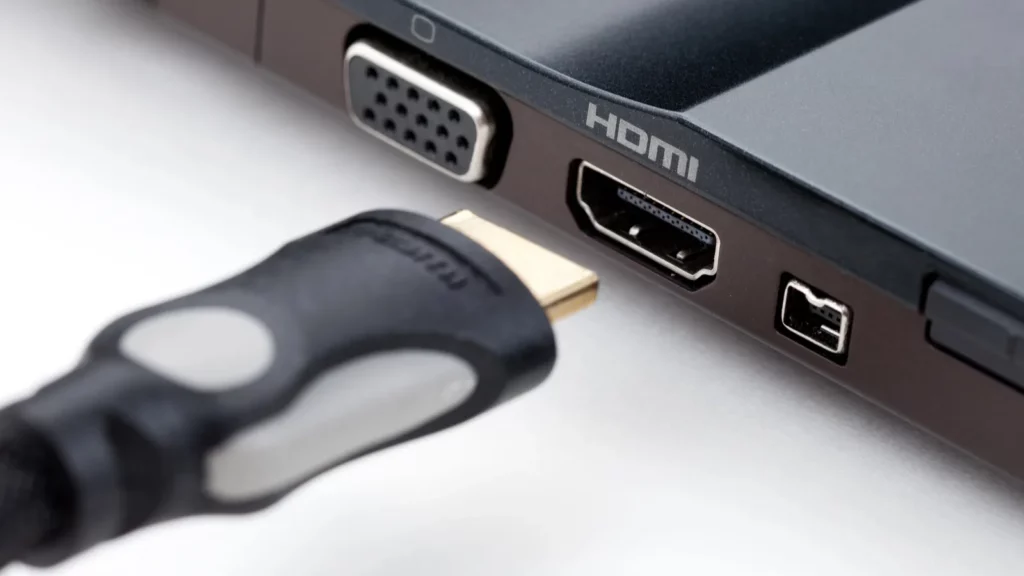
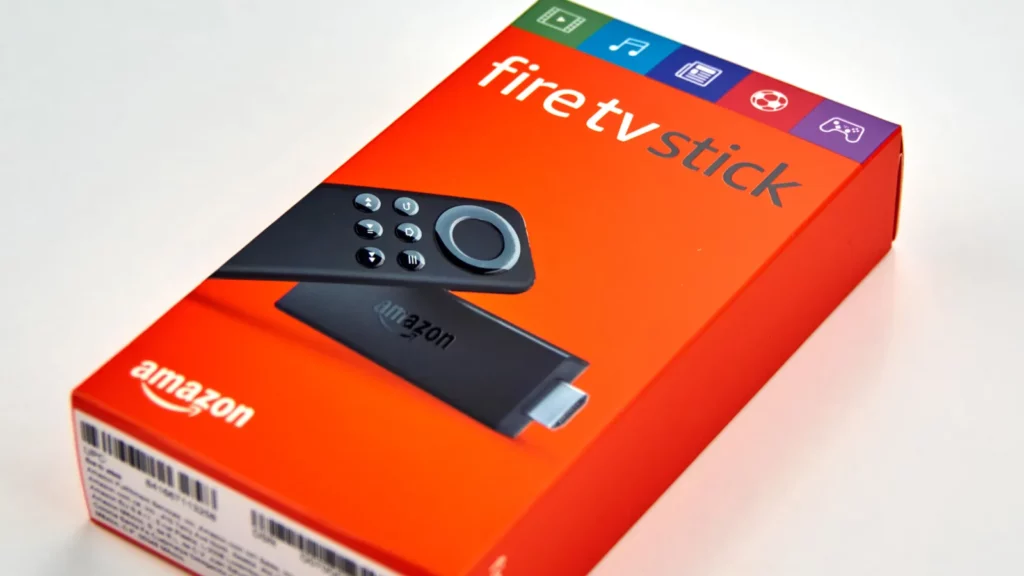
A Fire TV Stick can work in almost any HDMI port on a modern television, but the easiest connection choice is not always the smartest one. Many owners unknowingly use premium inputs that should be saved for devices with greater technical demands.
The mistake does not usually damage a television or prevent streaming. Instead, it creates an inefficient entertainment layout in which valuable HDMI features go unused, while gaming consoles, sound systems, or future upgrades may need those same connections.
Why the Fire TV Stick does not need every HDMI port
Modern televisions often include a combination of HDMI 2.0 and HDMI 2.1 ports, but those connections are designed for different capabilities. Choosing the wrong input can reduce flexibility when several devices share one television.
The Fire TV Stick HD supports 1080p at 60Hz, while the Fire TV Stick 4K and Fire TV Stick 4K Max support 4K at 60Hz. These specifications fit within HDMI 2.0 capabilities, meaning most owners do not need HDMI 2.1.
Fire TV Stick 4K models can still provide HDR formats, including Dolby Vision, HDR10+, and HLG, along with Dolby Atmos audio. However, these features do not require the bandwidth of HDMI 2.1 for normal streaming performance.
Which devices benefit most from HDMI 2.1?
HDMI 2.1 ports are most useful for hardware that can take advantage of higher bandwidth. Gaming consoles such as the PlayStation 5, Xbox Series X, and PlayStation 5 Pro are designed for these advanced connections.
These consoles can use features such as 4K at 120Hz and Variable Refresh Rate technology. Those improvements can create smoother gameplay, making HDMI 2.1 a valuable resource for serious gaming setups.
A Fire TV Stick connected to an HDMI 2.1 port will work normally, but it will not unlock higher streaming quality. The device simply cannot use the same advanced features that modern consoles can access.
Why should ARC and eARC ports stay available?
Many television owners also overlook the importance of HDMI ports labeled ARC or eARC. These connections allow audio to travel from the television to compatible soundbars and receivers via a single HDMI cable.
Using the ARC or eARC port for a Fire TV Stick can create unnecessary limitations. The streaming device does not need this feature, while an audio system may depend on it for simple setup.
Households with soundbars or AV receivers should usually reserve the ARC or eARC connection for those products. Keeping that port available reduces cable complications and makes future audio upgrades easier.
Little-known fact: HDMI 2.1’s eARC standard was specifically designed to allow uncompressed formats like Dolby Atmos and DTS:X to pass directly from a TV to a soundbar or receiver.
How should Fire TV owners arrange their HDMI ports?
The best setup depends on the devices connected to the television. A Fire TV Stick HD can use almost any available HDMI input, while 4K models are usually better placed on standard HDMI 2.0 ports.
Gaming consoles should receive HDMI 2.1 priority whenever possible, especially for users who care about maximum performance. Soundbars and receivers should connect through ARC or eARC when those features are supported.
This approach is not about completely avoiding HDMI 2.1. It is about using each connection for its intended purpose, allowing every device to receive only the features it can actually use.
Could using the wrong port cause problems with Fire TV?
Port selection mistakes are often confused with connection failures. A Fire TV Stick that shows no picture may have issues caused by loose cables, incorrect television inputs, power problems, or damaged hardware.
Basic troubleshooting should begin with checking cable connections and confirming that the television is set to the correct HDMI input. Restarting both the Fire TV Stick and the television can also resolve temporary software problems.
Trying another HDMI port can help identify whether a connection is faulty. However, moving a Fire TV Stick to an HDMI 2.1 port is not a guaranteed solution for display problems.
Little-known fact: Standard copper HDMI 2.1 cables typically max out around 3 meters for reliable full-bandwidth transmission; longer runs need fiber-optic or extender solutions.
Why do HDMI choices matter more in modern homes?
Televisions are becoming central entertainment hubs that combine streaming, gaming, and audio equipment. As more devices connect to a single display, the number of available high-quality ports becomes increasingly important.
A smart home setup can become frustrating when devices compete for limited connections. Planning HDMI assignments early helps prevent unnecessary cable changes and ensures important equipment receives the correct features.
The Fire TV Stick remains a reliable streaming option regardless of the HDMI port selected. The goal is not to find a special port for streaming, but to organize the entire entertainment system.
How can television labels create confusion?
Many televisions include several HDMI ports that look identical from the outside. Buyers may assume every connection works the same way, even though manufacturers often reserve specific ports for different features.
Reading the labels near the HDMI inputs can reveal important information about bandwidth and audio capabilities. Checking the television manual can also indicate which ports support HDMI 2.1, ARC, and eARC.
This small step can prevent mistakes before devices are installed. A few minutes of planning can save users from having to rearrange cables after adding a console, soundbar, or other home entertainment equipment.
Is HDMI 2.1 ever useful for a Fire TV Stick?
There is no harm in using HDMI 2.1 for a Fire TV Stick when other ports are unavailable. The device will continue to work and deliver the same streaming quality it provides elsewhere.
The difference appears when a television has limited advanced ports. A household with multiple devices should prioritize connections based on capability instead of simply using the first available input.
Future upgrades also become easier when HDMI ports are organized properly. Reserving specialized connections today can prevent problems when adding new gaming hardware or improving home audio systems later.
How does a small port decision affect future upgrades?
A television setup often changes over several years as households add new entertainment products. A carefully planned HDMI layout prevents older choices from creating problems when new consoles, receivers, or displays are introduced.
The Fire TV Stick is rarely the device that needs the most capable connection. Giving advanced ports to high-bandwidth equipment keeps the entire system prepared for better performance without sacrificing everyday streaming.
What Fire TV Stick owners should remember
The HDMI mistake happens because the differences between ports are not always obvious. Many users connect devices quickly without realizing that some inputs provide features their streaming sticks cannot use.
The simplest rule is to place Fire TV Stick models on regular HDMI ports whenever possible. Save HDMI 2.1 for high-performance devices and keep ARC or eARC available for audio equipment.
This small adjustment creates a more balanced entertainment system without reducing streaming quality. Fire TV Stick owners can enjoy the same movies and shows while making better use of their television hardware.
TL;DR
- Fire TV Stick devices support excellent streaming over HDMI 2.0 ports, so owners should avoid using alternative connections unless there is a specific reason.
- HDMI 2.1 ports are better reserved for gaming consoles because they support higher refresh rates and features unavailable on streaming sticks.
- ARC and eARC connections should remain available for soundbars and receivers because they simplify audio connections between televisions and speakers.
- Proper HDMI planning helps homeowners build flexible entertainment systems that support streaming, gaming, and audio upgrades.
This article was made with AI assistance and human editing.
If you liked this, you might also like:
Trending Products

iRobot Roomba Plus 405 (G181) 2in1 ...

Tipdiy Robot Vacuum and Mop Combo,4...

iRobot Roomba 104 2in1 Vacuum &...

Tikom Robot Vacuum and Mop Cleaner ...

ILIFE Robot Vacuum

T2280+T2108

ILIFE V5s Pro Robot Vacuum and Mop ...

T2353111-T2126121

Lefant Robot Vacuum Cleaner M210, W...