
Having a smart home can be convenient, but managing multiple apps and devices can quickly become overwhelming. Smart lights, thermostats, cameras, and other gadgets often require separate apps or voice commands, making it difficult to keep everything in sync.
For those who want a centralized way to monitor and control all their devices, a smart home hub is usually the solution. But buying a new hub is not always necessary. An old Amazon Fire tablet, even one purchased several years ago, can serve as an effective smart home hub with a few adjustments.
With its robust hardware, wide app support, and integration with Alexa, a Fire tablet can consolidate your smart home controls, streamline routines, and even add extra functionality at a fraction of the cost of a new device.
Discover how to transform an old tablet into a powerful smart home hub and unlock its full potential.
Why an old Amazon Fire tablet is the perfect hub
Amazon Fire tablets are inexpensive, with entry-level models starting at around $60. Despite their low price, they offer decent displays, battery life, and performance for everyday tasks. Devices like the Fire HD 8 or Fire HD 10 provide screens large enough to display multiple controls, timers, and notifications simultaneously, making them ideal for a central smart home dashboard.
Fire tablets run Fire OS, a modified version of Android. While Fire OS limits some functionality, it can be extended using simple hacks, including sideloading apps from the Google Play Store or using utilities like Fire Toolbox.
With these tools, users can bypass some of Amazon’s restrictions, replace the default launcher, or customize the tablet to suit their smart home setup.
Little‑known fact: Amazon added a “Show Mode” update to Fire tablets that lets them function similarly to an Echo Show, a touch‑friendly smart display even without a dock, turning the Fire tablet into a voice‑controlled home hub.
Setting up the device dashboard
To turn a Fire tablet into a functional hub, begin with the Device Dashboard. This feature allows all connected smart accessories to be accessed from one central screen.
- Open the Device Dashboard using the smart-home icon near the bottom left of the navigation bar.
- In the dashboard, use the ‘Add New Favorite’ option and tap the star icon next to each device you want quick access to.
- If a device is not listed under Favorites, you can browse device categories and add it from there.
For devices that require app-specific setup, navigate to “Manage Devices in Alexa App” in the top-right corner of the dashboard. Hit the plus icon and select “Add Device.” This ensures that all devices are correctly linked and accessible from the same screen.
Choosing the right location
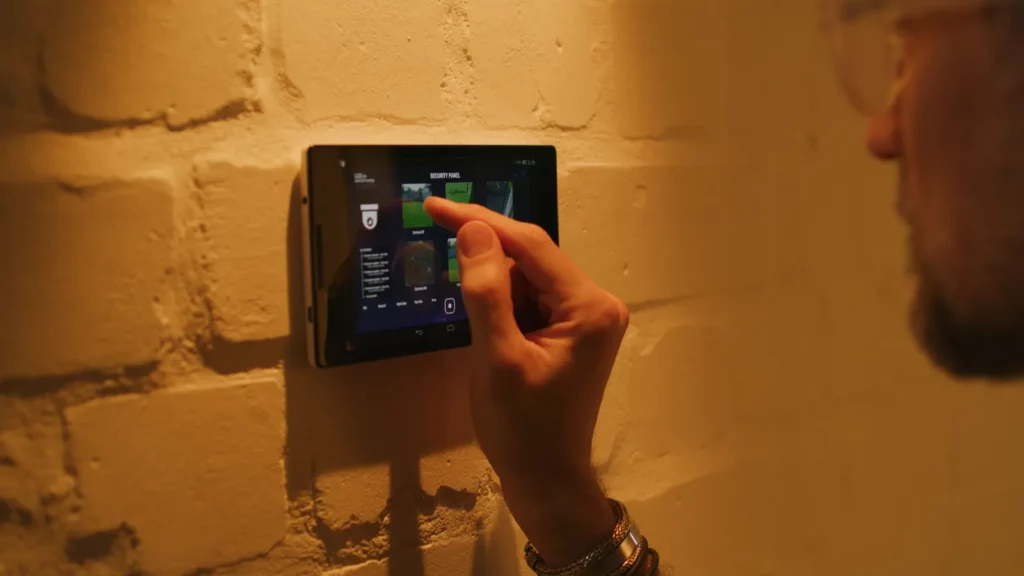
A smart hub is only useful if it is easily accessible. Keep the tablet in a central location, such as the kitchen, living room, or hallway.
Wall mounts or dedicated stands can make the tablet permanently visible and reduce clutter. Ensure it is close to a power outlet so it remains plugged in, allowing continuous operation without worrying about battery life.
Using Fire Toolbox to unlock advanced features
Fire Toolbox is a free utility designed for Windows or Linux computers that allows advanced customization of Amazon Fire tablets. With Fire Toolbox, users can:
- Install the Google Play Store and other Android apps not available on the Amazon Appstore
- Replace the default home screen and launcher
- Disable or remove pre-installed Amazon apps
- Adjust screen density for better readability
- Backup and restore tablet data
- Remove lock screen ads without paying Amazon
To get started, enable USB debugging on the tablet, connect it to a PC, and run the Fire Toolbox software. Recent updates make it possible to modify system apps and even replace some Amazon services entirely.
This allows a Fire tablet to feel more like a standard Android device, while keeping it optimized for smart home management.
Maximizing smart home control
Once the tablet is ready, it can act as a central control hub for lights, thermostats, cameras, and more. The large touchscreen provides quick access to:
- Alexa routines and commands
- Google Home or HomeKit-compatible devices
- Home Assistant dashboards for more advanced users
Home Assistant is particularly useful if a variety of devices from different manufacturers are used. Running Home Assistant on a local server and accessing it from the Fire tablet allows a platform-agnostic smart hub that does not rely heavily on cloud services, enhancing privacy and control.
Little‑known fact: Newer Fire tablets (like the Fire HD 8 2024) include built‑in generative AI tools such as writing assist and AI wallpapers, unexpected features on a budget smart home device.
Repurposing old tablets for other smart home tasks
An old Fire tablet can be more than a control hub. Some additional uses include:
- Recipe guide in the kitchen: Set up a cooking app or digital cookbook for step-by-step guidance without needing to grab a phone.
- Educational tool for children: Install learning apps and restrict access to only age-appropriate content using parental controls.
- Digital photo frame: Display favorite family photos or cloud-synced albums, keeping the tablet in a prominent location for continuous use.
- Baby monitor or security camera: Apps like AlfredCamera turn tablets into remote monitoring devices, with two-way audio and motion alerts.
- Second screen for laptops or desktops: Apps like Duet Display or AirDroid Cast let tablets mirror or extend a computer screen for productivity.
These functions extend the life of a device that may otherwise sit unused, while also reducing e-waste.
Choosing the right Amazon Fire tablet
When considering which tablet to use as a hub, recent Fire models are recommended due to OS compatibility and hardware performance. Devices from 2018 or later running Fire OS 7 or higher are ideal, such as:
- Fire 7 (2022)
- Fire HD 8 (2024)
- Fire HD 10 (2023)
- Fire Max 11
Older models may lack the required software or hardware capabilities to run advanced apps or dashboards reliably. Ensure all devices in the smart home network are connected to the same Wi-Fi network and registered under the same Amazon account for seamless operation.
Keeping the tablet maintained
A hub requires consistent performance. To maintain the Fire tablet:
- Keep the OS updated within Fire OS 7 or 8 to ensure compatibility with apps.
- Use Fire Toolbox carefully, following backup recommendations before making major changes.
- Monitor app updates and integrations regularly for compatibility issues.
- Consider installing only the apps needed for smart home management to avoid slowing down the tablet.
Proper maintenance ensures that even older devices can perform reliably, giving a hub-like experience without ongoing subscription costs or additional hardware.
TL;DR
- Old Amazon Fire tablets can serve as powerful, cost-effective smart home hubs. With a few tweaks, they consolidate multiple apps, routines, and device controls into one central screen.
- Using the Device Dashboard, Fire Toolbox, and optional integrations like Home Assistant, these tablets can manage lights, thermostats, cameras, and more.
- They also offer secondary uses, such as recipe guides, educational tools, digital photo frames, baby monitors, and second screens.
- Models from 2018 or later running Fire OS 7 or 8 work best. Central placement, consistent Wi-Fi, and careful maintenance make the tablet a reliable hub without spending money on additional hardware.
This article was made with AI assistance and human editing.
If you liked this, you might also like:
Trending Products

iRobot Roomba Plus 405 (G181) 2in1 ...

Tipdiy Robot Vacuum and Mop Combo,4...

iRobot Roomba 104 2in1 Vacuum &...

Tikom Robot Vacuum and Mop Cleaner ...

ILIFE Robot Vacuum

T2280+T2108

ILIFE V5s Pro Robot Vacuum and Mop ...

T2353111-T2126121

Lefant Robot Vacuum Cleaner M210, W...

