
For years, Google TV has quietly been one of the most convenient ways to bring premium streaming features to any television.
But with Google’s latest update, the humble Google TV Streamer is about to feel a lot smarter, more conversational, and far more capable.
Beginning this week, users can unlock Gemini for TV, Google’s next-generation AI assistant on their streaming device, replacing Google Assistant and opening the door to richer entertainment suggestions, natural voice control, and even educational help or smart home automation.
It’s a major shift not only because Gemini is more powerful than Assistant, but because this is the first time Google’s most advanced AI is available on nearly any television with an HDMI port.
For millions of households, this update effectively transforms an ordinary TV into an intelligent, responsive hub for learning, streaming, and home control.
Below, we break down what the upgrade brings, how it works, and why Google TV Streamer owners should take full advantage.
Gemini arrives on Google TV Streamer
When Gemini for TV launched back in September, it was limited to a short list of smart TVs, mainly select TCL models. If your television wasn’t on that list, you were stuck waiting.
That changes now. Google has begun rolling out the update to all Google TV Streamer devices, with the rollout continuing “over the next few weeks.”
Practically speaking, this means almost anyone can try Gemini for TV. The requirements are simple:
- A TV with an HDMI port
- HDCP 1.3 or later
- A stable internet connection
Once the update hits your device, you’ll see a new option inside Settings → Accounts & Profiles → Voice Assistant. If your unit is eligible, “Gemini for TV” appears as a selectable upgrade.
The goal is to ensure that even older or budget TVs can suddenly gain conversational AI, full-screen voice results, and dramatically improved content discovery all through the affordable Google TV Streamer.
A more conversational way to find what to watch
While Google Assistant was functional, it never quite escaped its robotic, command-driven nature. Gemini for TV changes that. Google rebuilt the experience around natural conversation, making the assistant feel less like a tool and more like a personal guide that understands preferences, mood, and context.
Instead of rigid commands like “show drama movies”, users can now speak the way they normally would:
- “I like dramas, but my wife likes comedies. What’s a movie we can watch together?”
- “What happened at the end of Outlander last season?”
- “What’s the new hospital drama everyone’s talking about?”
Gemini responds with full-screen suggestions, summaries, and browsing results. For couples who can’t decide on a movie, or for anyone needing a quick recap before diving into a new season, this conversational layer is a genuine upgrade.
Google also highlights that Gemini will refine its responses over time based on the people watching. If you often ask for thrillers or you follow specific creators, that behavior shapes future replies.
Smarter entertainment goes beyond suggestions
Where Gemini begins to feel truly different from older assistants is its ability to pull from multiple sources and interpret vague or broad questions. Want something similar to a movie you liked, but with a lighter tone? Try:
- “What are movies like Mission Impossible, but funnier?”
Gemini’s AI models consider theme, pacing, audience scores, and genre blending, something Google Assistant was never built for.
It also brings additional context to whatever you’re watching. You can ask about a character arc, request trivia, get actor backgrounds, or ask for related documentaries.
This ability to “pause and learn” without leaving the couch is part of Google’s larger strategy to make televisions not just for entertainment, but for learning.
Bringing learning to the biggest screen in the home
One of Google’s most unexpected but welcome additions is the educational mode. Because Gemini runs the same family of models used across Google’s AI ecosystem, it can explain concepts, simplify topics for kids, or walk you through step-by-step instructions, all displayed on your TV.
Ask something like:
- “Explain why volcanoes erupt to my third grader.”
- “Help me build a simple bookshelf.”
- “Guide me through making lasagna.”
Gemini then pulls from online knowledge sources, including YouTube videos, to walk you through the answer visually. Whether you’re helping kids with homework or looking up a recipe, the assistant is positioning the TV as a learning companion instead of just a screen to consume content from.
Your TV becomes a smart home hub
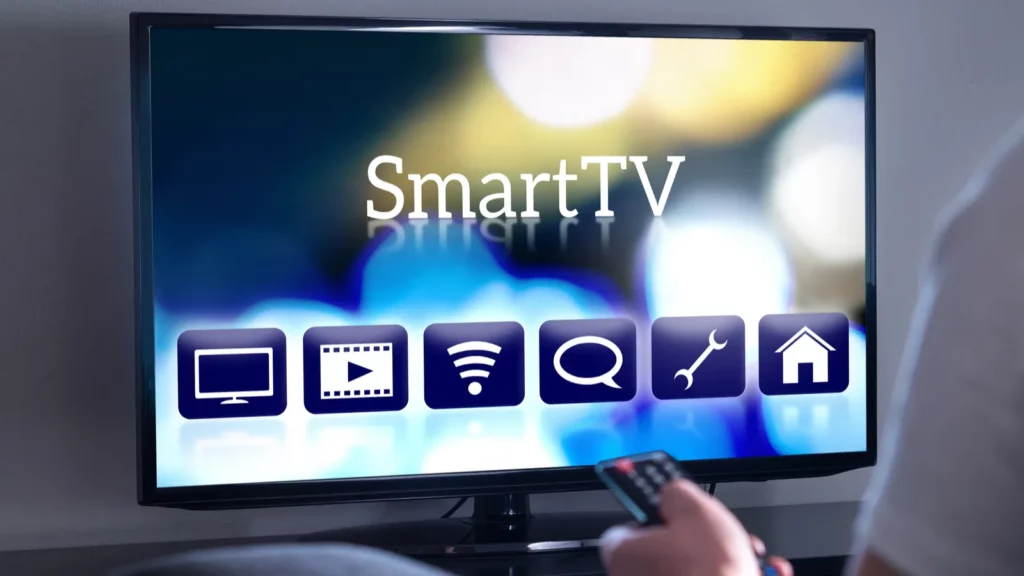
With the Google Assistant phase-out underway, Gemini is also taking over smart home voice commands. The experience mirrors what Google is building into its upcoming “Gemini for Home” speaker platform, which recently opened early access for select users in October.
On Google TV Streamer, this means voice control goes beyond entertainment:
- “Show me the backyard camera.”
- “Turn on the living room lights.”
- “Lock the front door.”
Gemini integrates with the Google Home app, letting you manage preferences in one place. It’s an especially useful upgrade for households that rely on Nest cameras or Matter-enabled devices.
With a single button press on the Google TV remote, the television becomes a room-wide command center.
How to check if your device has Gemini for TV
The update is rolling out globally, but it might not arrive on your device immediately. Here’s how to verify:
- Open Settings on your Google TV Streamer
- Navigate to Accounts & Profiles
- Select your account
- Choose Voice Assistant
- If available, select Gemini for TV
Once enabled, pressing your remote’s microphone button activates Gemini instantly.
Why Google is pushing Gemini everywhere
It’s not just about giving users new features. Google is moving its entire ecosystem toward a unified AI framework. We’ve already seen Gemini expand to:
- Android smartphones
- Pixel phones (with Gemini Nano)
- Wear OS watches
- Google Home speakers
- Android Auto
- Google Workspace apps
- Select smart TVs
The Google TV Streamer is simply the next major milestone. With millions of units already in homes, this rollout makes Gemini one of the most accessible living-room AI assistants ever shipped.
What makes this update unique
Beyond the feature list, Gemini for TV marks an important turning point for smart entertainment:
1. It turns any television into a conversational experience
Even older, inexpensive TVs can now compete with premium AI-driven smart displays.
2. It bridges entertainment and education
From homework help to DIY tutorials, the TV becomes a learning hub.
3. It strengthens the living room’s role in smart home control
Voice control feels more natural and more visible on a large screen.
4. It democratizes access to advanced AI
You no longer need a flagship phone or expensive smart TV. A simple streaming stick unlocks the full experience.
5. Responses feel personal and dynamic
Gemini can understand blended preferences, contextual requests, and follow-up questions, something Google Assistant struggled with.
What to expect next
Google’s rollout suggests the company is preparing for an even larger vision: seamless cross-device AI.
Imagine starting a recipe on your phone, continuing it on your TV, and asking your smart speaker to set timers, all powered by a consistent AI personality.
As Google continues retiring Assistant and reshaping its hardware around Gemini AI, updates like this one are just the beginning.
Summing it all up
The Google TV Streamer has always been a reliable, affordable device for watching your favorite shows, but with Gemini for TV, it becomes something more: a conversational guide, a learning tool, and even a smart home controller.
Whether you want a movie recommendation, a quick recap, a science explanation for your child, or a live camera feed, Gemini delivers it naturally and instantly.
With this rollout, Google isn’t just upgrading a streaming device. It’s redefining what your television can do.
If you own a Google TV Streamer, check your settings, toggle on Gemini for TV, and explore the new possibilities waiting on your screen.
Recommended Posts:
This article was made with AI assistance and human editing.
Trending Products

iRobot Roomba Plus 405 (G181) 2in1 ...

Tipdiy Robot Vacuum and Mop Combo,4...

iRobot Roomba 104 2in1 Vacuum &...

Tikom Robot Vacuum and Mop Cleaner ...

ILIFE Robot Vacuum

T2280+T2108

ILIFE V5s Pro Robot Vacuum and Mop ...

T2353111-T2126121

Lefant Robot Vacuum Cleaner M210, W...

