
Home Assistant is one of the most capable smart home platforms in existence. It can connect to nearly every device in your home, automate complex routines, and put privacy and control entirely in your hands.
But much like any always-on technology, even the smartest devices come with an unspoken tradeoff: wear over time. That same reality applies to something far more common in homes today, the television.
It’s easy to leave a TV running in the background. News channels loop all day, sports networks replay highlights endlessly, and streaming apps sit paused while life happens elsewhere.
The question most people don’t stop to ask is whether that constant uptime is quietly shortening their TV’s lifespan.
Does leaving your TV on all day actually damage it, or is that just an old myth left over from the CRT era?
The answer sits somewhere in the middle. Modern TVs are far more resilient than their predecessors, but they are not immune to physics, heat, and long-term electrical stress.
To understand what really happens inside a TV that’s left on for hours and how different display technologies respond, keep reading as we dive deeper into the facts behind all-day screen time.
TVs don’t “wear out” evenly
Unlike appliances with clear mechanical failure points, TV wear is gradual and uneven. Most modern televisions are designed to last well over a decade under normal viewing habits, often with little visible loss in picture quality for many years.
However, that lifespan assumes reasonable use: varied content, moderate brightness, and regular downtime.
When a TV runs all day, every day, the stress adds up. Components age at different rates, and some suffer more than others.
Power supplies, backlights, organic pixels, and internal boards all respond differently to prolonged operation.
The result is not usually a sudden failure, but slow degradation that shows up as dimmer screens, uneven brightness, color shifts, or software instability.
Heat is the silent enemy
The biggest factor behind TV wear is heat. Every television produces heat as it converts electricity into light. The brighter the image, the more heat it generates.
When a TV stays on for long stretches, internal temperatures remain elevated for hours, accelerating material fatigue.
Thin, edge-lit TVs are particularly vulnerable. In these designs, heat can cause reflector sheets to warp slightly, leading to uneven lighting or bright patches on the screen. Over time, this distortion becomes visible during darker scenes.
Thicker TVs with full-array or direct-lit backlights handle heat better, as they distribute it more evenly and allow for improved ventilation.
Heat also affects solder joints, capacitors, and power boards. These components don’t fail overnight, but constant exposure to elevated temperatures can shave years off their usable life.
OLEDs face unique risks
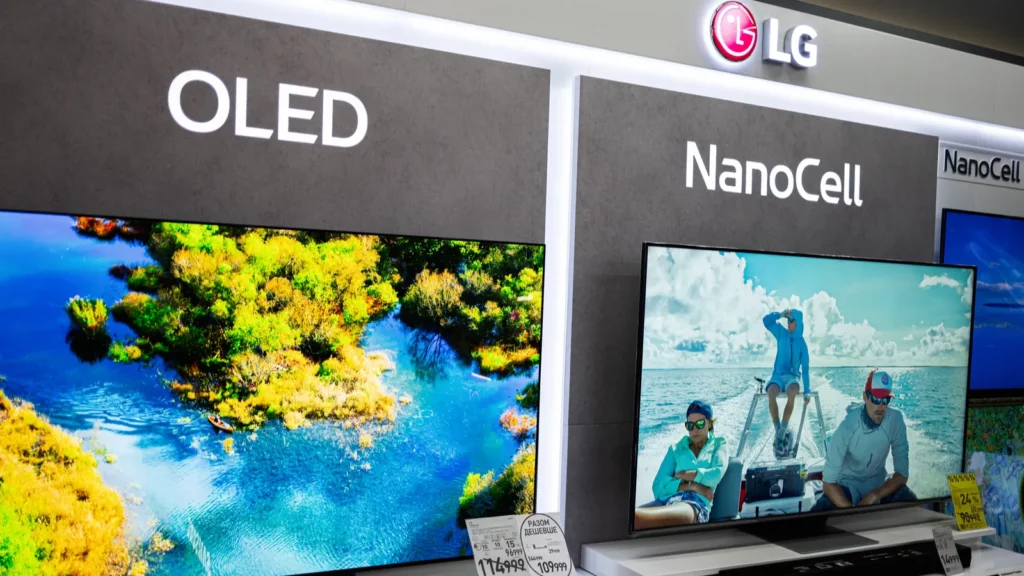
OLED TVs deserve special attention. Unlike LCD-based TVs that rely on backlights, OLED panels use self-illuminating organic pixels. Each pixel degrades as it emits light, and not all pixels age at the same rate.
When static elements stay on screen, news logos, scoreboards, game HUDs, or paused menus, specific pixels work harder than others. Over time, this uneven wear can lead to burn-in, where faint ghost images remain visible even when content changes.
It’s important to separate burn-in from temporary image retention. Image retention can appear after minutes or hours, but usually fades away.
True burn-in requires repeated exposure to static content over long periods. Leaving an OLED TV on 24/7 with varied content may simply shorten its overall lifespan. Leaving it on a single news channel all day is far more damaging.
Manufacturers fight this with pixel shifting, logo dimming, screensavers, and compensation cycles. These tools don’t stop degradation, but they spread it more evenly.
However, many compensation cycles run only when the TV is in standby. If a TV rarely turns off, those protective routines may not activate as often as intended.
LCD, LED, and mini-LED TVs fare better

LCD-based TVs, including LED, QLED, and mini-LED models, are generally more resistant to continuous use. Burn-in is far less of a concern, and backlights tend to degrade more uniformly.
Many LCD TVs are rated for 40,000 to 60,000 hours at high brightness, which translates to several years of nonstop operation.
That said, brightness plays a huge role. Running an LCD TV at maximum brightness all day accelerates backlight wear and increases heat output. Mini-LED TVs with thousands of dimming zones manage brightness more efficiently, but they’re not immune to thermal stress.
Build quality matters too. Higher-end models with better cooling, power regulation, and thicker chassis tend to tolerate extended use better than ultra-thin budget panels.
Power consumption adds up quietly
Leaving your TV on all day doesn’t just affect longevity; it affects your power bill. TVs are among the more energy-hungry electronics in the home.
A modern 65-inch TV can consume anywhere from 150 to 300 watts, depending on technology, brightness, and HDR usage.
Over 24 hours, that adds up to several kilowatt-hours per day. Over a month, it can noticeably increase electricity costs, especially if HDR content is frequently playing at high brightness. While this won’t rival heating or cooling expenses, it’s enough to make a dent, particularly in regions with tiered energy pricing.
Software wear is real, too
One often overlooked factor is software stability. Smart TVs function like always-on computers, managing apps, background services, and cached data. Without regular restarts, systems can slow down, apps may become unstable, and bugs are more likely to surface.
Anyone who has fixed a sluggish TV by simply rebooting it has seen this firsthand. Leaving a TV on indefinitely increases the odds of performance issues, even if the hardware itself remains intact.
When leaving a TV on isn’t a big deal
Occasional long sessions aren’t a problem.
Watching a major sports event all day, hosting a party, or running background content during a holiday won’t meaningfully damage a modern TV. Lifespan ratings are measured in tens of thousands of hours, and one marathon barely registers.
Problems arise when all-day use becomes a daily habit. Over months and years, the cumulative heat, brightness stress, and lack of downtime begin to take their toll.
Practical ways to extend your TV’s life
If your lifestyle or household habits make all-day TV use unavoidable, there are ways to reduce the impact.
Lower the brightness whenever possible. Modern TVs ship with overly aggressive brightness settings that look great in showrooms but aren’t necessary at home. Reducing brightness significantly cuts heat output.
Avoid static content. Rotate channels, use screensavers, or rely on separate monitors for always-on news feeds. This is especially important for OLED TVs.
Allow downtime. Turning the TV off, even overnight, lets internal components cool and allows maintenance cycles to run. Ensure proper ventilation.
Keep vents clear and avoid placing TVs in tight cabinets or above fireplaces where heat can build up.
Use surge protection. Power surges can instantly destroy components regardless of usage habits. Keep it clean. Dust buildup traps heat and stresses internal parts over time.
Summing it all up
Leaving your TV on all day won’t destroy it overnight, but it does quietly shorten its lifespan.
Heat, brightness, static images, and constant electrical stress all contribute to gradual wear. OLED TVs are the most vulnerable, while thicker, well-ventilated LCD models handle abuse more gracefully.
For most people, the solution isn’t paranoia, it’s moderation. Turn the TV off when it’s not needed, avoid leaving static images up for hours, and let the hardware rest now and then. Your TV is built to be used, but like any machine, it lasts longest when it’s given time to breathe.
In the end, the real danger isn’t that your TV will suddenly fail. It’s that you’ll shave years off its best-looking, best-performing life without ever realizing why.
Recommended Posts:
This article was made with AI assistance and human editing.
Trending Products

iRobot Roomba Plus 405 (G181) 2in1 ...

Tipdiy Robot Vacuum and Mop Combo,4...

iRobot Roomba 104 2in1 Vacuum &...

Tikom Robot Vacuum and Mop Cleaner ...

ILIFE Robot Vacuum

T2280+T2108

ILIFE V5s Pro Robot Vacuum and Mop ...

T2353111-T2126121

Lefant Robot Vacuum Cleaner M210, W...

