
Buying a new TV can feel exciting, but for smart home owners, the decision goes far beyond picking the latest screen size or brand.
Today’s televisions are more than just displays they’re integrated hubs capable of controlling devices, streaming media, and connecting to your entire home network.
Choosing the right TV for your smart home setup requires careful consideration to avoid frustration and make the most of your investment. Here are seven crucial tips to guide you before purchasing a TV from Best Buy.
1. Prioritize smart home compatibility
Not all smart TVs are created equal. Some work seamlessly with Amazon Alexa, Google Assistant, or Apple HomeKit, while others may offer limited integration.
Before purchasing, identify your primary smart home ecosystem and ensure the TV can interact with it. For instance, Samsung TVs pair best with SmartThings, while LG and Sony often integrate more smoothly with Google Assistant or Alexa.
Compatibility ensures you can control lights, security cameras, and other devices directly from your TV or using voice commands without juggling multiple apps.
2. Consider screen type and picture quality
The choice between OLED, LCD, and QLED impacts both visual performance and energy usage.
OLED panels offer deep blacks and vivid colors, ideal for cinematic viewing, but can be more prone to burn-in with static UI elements, such as gaming overlays or smart home dashboards.
LCDs provide bright, energy-efficient displays at a lower cost, though their contrast and viewing angles may be inferior. Always check the TV in-store for brightness, contrast, and color accuracy, and consider models supporting HDR10, HDR10+, or Dolby Vision for the richest visual experience.
3. Update your TV’s operating system and firmware
A smart TV’s OS drives both functionality and security.
Even if your TV comes with the latest firmware, periodically checking for updates ensures access to new apps, performance improvements, and bug fixes.
LG’s webOS and Samsung’s Tizen frequently receive updates that can improve both streaming responsiveness and smart home integration.
Best Buy’s staff can guide you through checking and updating your system, which can be particularly helpful if you purchase an older model with a lower starting firmware version.
4. Turn off energy-saving and motion smoothing settings
While green energy settings and motion smoothing may sound appealing, they can compromise picture quality.
Energy-saving modes often dim the screen unnecessarily, while motion smoothing, branded differently across manufacturers, can create the artificial “soap opera” effect, making movies and shows look unnatural.
For the most authentic viewing experience, disable these settings and consider activating Filmmaker Mode on newer TVs to see content as intended by creators.
5. Optimize connectivity for performance
Wi-Fi is convenient, but wired Ethernet connections generally provide faster, more reliable streaming.
High-resolution 4K or 8K content demands consistent bandwidth, and multiple devices sharing the same network can strain Wi-Fi.
If your smart home setup relies heavily on streaming and interconnected devices, a hardwired connection is highly recommended. Additionally, ensure your router supports modern standards Wi-Fi 6 or Wi-Fi 7 to future-proof your network.
6. Plan for HDMI and device expansion
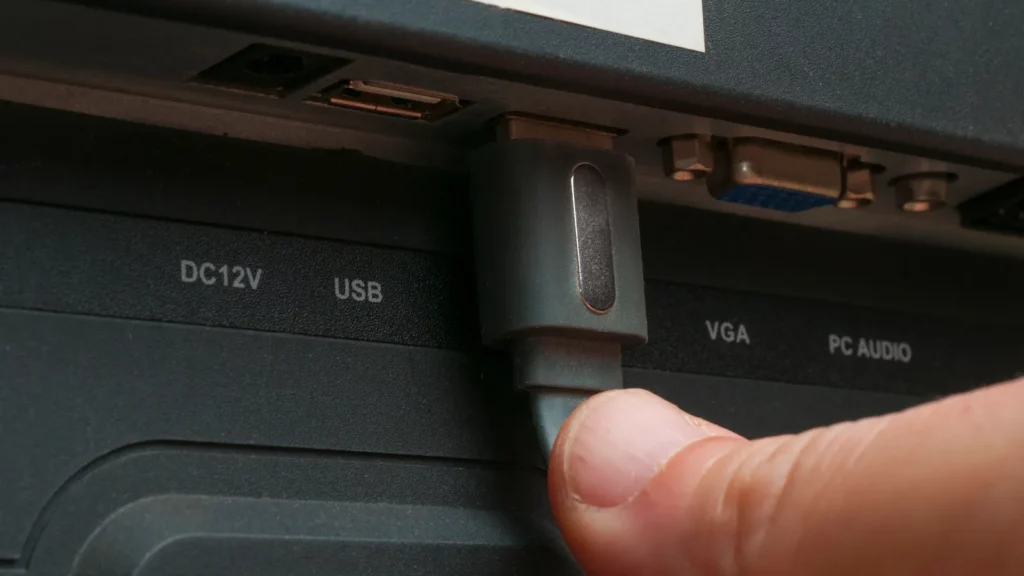
Modern smart homes often require more HDMI ports than the TV provides, particularly if you have gaming consoles, soundbars, Blu-ray players, or streaming devices.
HDMI 2.1 ports are especially important for next-gen consoles like the PS5 Pro and Xbox Series X, supporting features like 4K at 120Hz and variable refresh rates.
If your chosen TV lacks sufficient ports, consider adding a high-quality HDMI switcher to expand connectivity without compromising performance.
7. Use a streaming device if needed
Even top-tier TVs can have underwhelming interfaces or slow OS performance.
A streaming stick or box can boost functionality, providing access to more apps and smoother navigation.
Devices like the Roku Streaming Stick 4K or Apple TV 4K offer consistent updates, higher-quality streaming, and additional smart home features.
For older or “dumb” TVs, streaming devices can effectively turn your existing screen into a full smart hub, integrating seamlessly with your home ecosystem.
Bonus tip: maintain your TV for long-term performance
Clearing cache periodically and monitoring app updates can prevent slowdowns caused by accumulated data.
Documenting your smart home setup including connected apps, devices, and routines makes troubleshooting easier, especially when expanding your system or moving homes. Even simple practices like organizing device names and logging firmware versions can save hours of frustration later.
@whichuk Each year, we put more than one hundred TVs through a whole host of independent checks, measurements and assessments in the Which? test lab. If you’re about to buy one, here are five things to remember before you hand over your money. #tv #tvs #telly #television #tech #techtok #techtoktips #technology #techtips #buying #buyers #buyersguide #whichmagazine #whichtech
Putting it all together
Selecting a TV for a smart home is more than choosing a brand or size; it’s about integration, performance, and future-proofing.
A well-chosen model will seamlessly link with your voice assistant, provide top-tier visuals, and connect reliably to your network.
Pairing the right screen with optimal settings, wired connections, and supplementary streaming devices ensures your smart home setup functions smoothly.
Best Buy offers a wide range of TVs catering to smart home users, from OLED cinematic displays to budget-friendly LCDs with essential smart capabilities.
By following these seven tips, you can select a TV that not only elevates your viewing experience but also serves as a central hub for your connected home. Whether streaming, gaming, or managing devices, the right choice will deliver performance, convenience, and enjoyment for years to come.
Recommended Posts:
This article was made with AI assistance and human editing.
Trending Products

iRobot Roomba Plus 405 (G181) 2in1 ...

Tipdiy Robot Vacuum and Mop Combo,4...

iRobot Roomba 104 2in1 Vacuum &...

Tikom Robot Vacuum and Mop Cleaner ...

ILIFE Robot Vacuum

T2280+T2108

ILIFE V5s Pro Robot Vacuum and Mop ...

T2353111-T2126121

Lefant Robot Vacuum Cleaner M210, W...

